Destiny Companion App
From Destinypedia, the Destiny wiki

The Destiny Companion App is a mobile app available on iOS, Android, and web browsers. The companion app gives players access to a variety of game-related functions, and can view and adjust their own game setups remotely. It was initially released on July 17, 2014 alongside the Destiny Beta[1], but has changed heavily across time.
Functions[edit]
Portal[edit]
This page lists news articles from bungie.net. It shows tabs to the Seasonal Hub, Friends, Vendors, and Quests menu respectively, along with the Featured Portal Ops
Seasonal Hub[edit]
This section lists your objectives, Seasonal Title, Seasonal Progress, and weekly rewards from the Weekly Seasonal Tab in-game.
Friends[edit]
This section lists your bungie friends, and allows you to invite them to your Fireteam.
Vendors[edit]
This section lists each Vendor across the system, along with their associated items and reward track.
Quests[edit]
This section lists your in-game quests, with options such as the latest expansion, New Light, and Exotics.
Portal Gallery[edit]
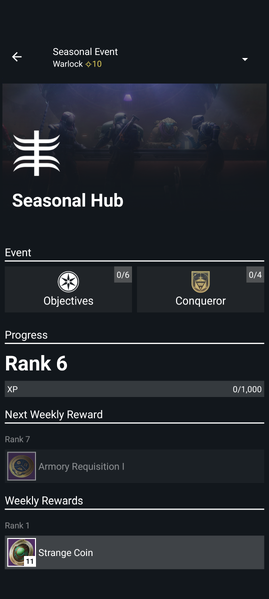 The Seasonal Hub Tab.
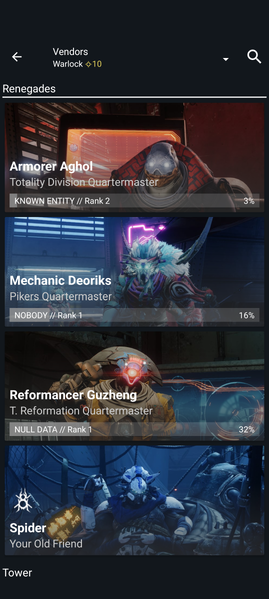 The Vendors Tab.
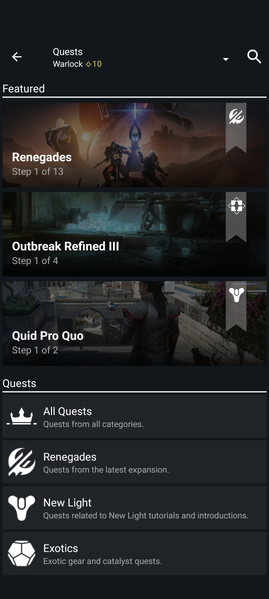 The Quests Tab.


Guardian[edit]
This page lists your guardians, and allows you to modify your loadout directly from here. You can also view your Shaping Progress, Lore tabs, Patterns & Catalysts, and Medals. It also lists the game history on each of your characters, including every mission and location you travel to.
Items[edit]
This section lists the amount of items you have earned in-game (per character). It also lists your Badges.
Shaping Progress[edit]
This section lists the weapons you have shaping progress for, for use at the Shaping Slab.
Lore[edit]
This section lists the in-game lorebooks you acquire via various means while playing the game.
Patterns & Catalysts[edit]
This section lists the Exotic Catalysts and Patterns you have acquired or are working towards in-game.
Stat Trackers[edit]
This section lists the various stats that are tracked on your account, which can be added on Emblems
Medals[edit]
This section lists the Medals earned from in-game feats from Crucible, Gambit, and Vanguard Ops.
Guardian Gallery[edit]
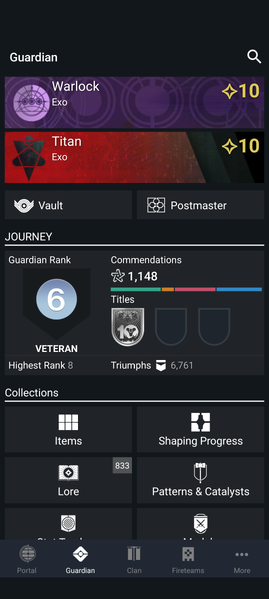 The Guardian Main Tab.
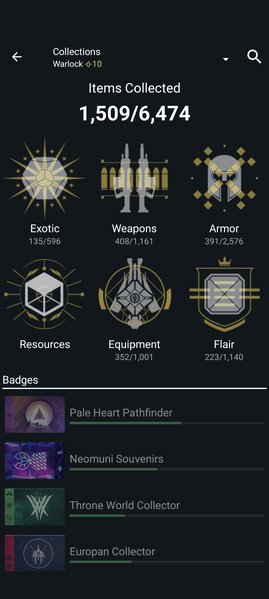 The Items Tab.
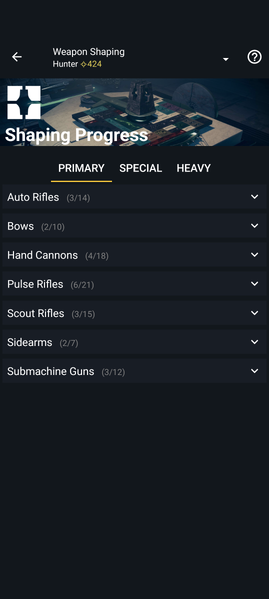 The Shaping Tab.
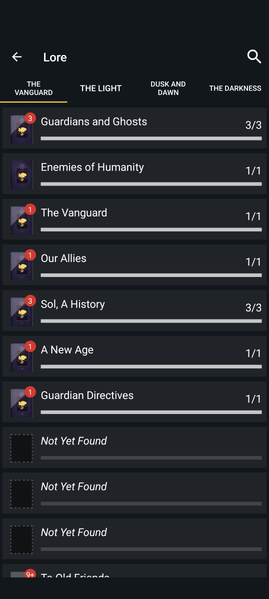 The Lore Tab.
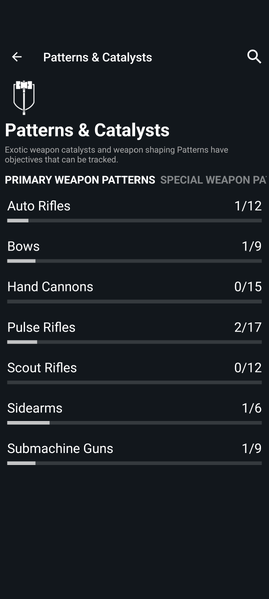 The Patterns & Catalysts Tab.
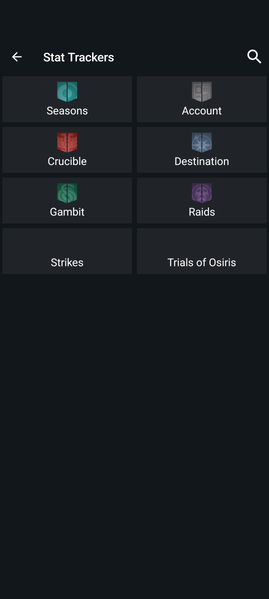 The Stats Tab.
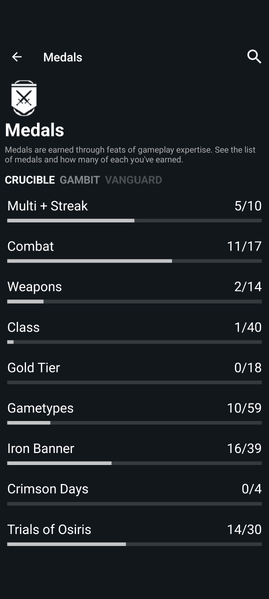 The Medals Tab.


Clans[edit]
The clans tab represents your in game Clan. It has a main chat area with multiple channels available, along with progression of your weekly clan rewards and your clan roster.
Progression[edit]
This section lists what Clan engrams your Clan has earned that week. It also lists the perks of your Clan Banner.
Roster[edit]
This section lists all the members of your Clan. It has 4 ranks: Founder, Admins, Members, and Newbies respectively.
Clan Gallery[edit]
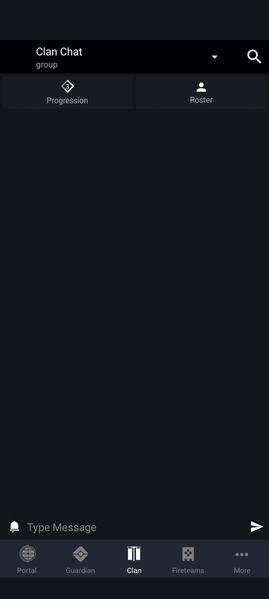 The Clan Main Tab.
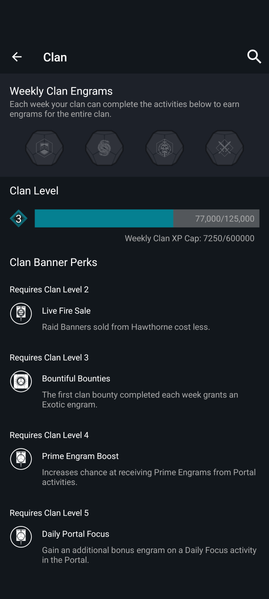 The Progresion Tab.
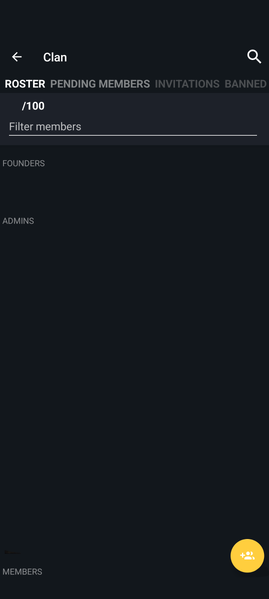 The Roster Tab.


Fireteams[edit]
The Fireteams tab lists the Current, Scheduled, Clan, and your own Fireteam Finder listings.
Now[edit]
This section lists Fireteams that are happening now, or as soon as the member cap is reached. This is the set of listings that can show up in game.
Scheduled[edit]
This section lists Fireteams that are planned to happen at a specific time & date. You can join multiple of these listing at once.
Clan[edit]
This section lists Fireteams that are happening or planned to happen within your Clan.
Mine[edit]
This section lists Fireteams that you have opened or scheduled yourself.
Fireteams Gallery[edit]


More[edit]
This tab lists your Bungie.net account, as well as sections for your Bungie messages, friends, and notifications. It also has quick buttons to the following:
- Your Profile
- Account Settings
- News
- Bungie Forums
- Bungie Rewards
- Cross Save
- Bungie Store
- Destiny Companion App Settings
- Bungie Help Center
- About Bungie
Messages[edit]
This section lists messages that are sent to your Bungie account, or chats you have opened.
Friends[edit]
This section lists your Bungie friends. It separates them into "Online" and "Offline", with Online taking priority.
Notifications[edit]
This section lists your notifications. It will notify you if a application was authorized to access your account. Formerly, it notified you when someone applied to your Fireteam Finder listing.
My Profile[edit]
This section lists your Destiny 2 account & Bungie account. When on the "Destiny 2" tab, it shows a list of your in-game characters, your Clan, and your ranks for Competitive, Xur, and Clan Reputation. It also lists your Titles, Guardian Rank, Commendations, Triumphs, Collections, and Game History. When on the "Bungie" tab, it lists the account name on each platform you play on.
Account Settings[edit]
This section lists various settings for your account. It allows you to change the following:
- Avatar Picture
- Theme
- About Me
- Email and its associated settings
- Notification settings
- Privacy settings
- App Action History, by platform
- Blocked Users
- Platform settings
- Redeeming codes
- Silver Balance
- Eververse Purchase History
- Option to sign out
News[edit]
This section lists various news articles from Bungie.net. It has tags for Bungie, Community, Destiny, and Patch Notes respectively.
Forums[edit]
This section lists the sections from Bungie forums. All of these sections are listed below:
- Destiny 2
- All: Discuss all things Destiny 2
- Feedback
- Rewards: Gear up. Level Up.
- Lore: Discuss the deep lore of the Destiny universe.
- Gameplay: Give us feedback about gameplay in Destiny 2!
- Destiny
- All: Discuss all things Destiny.
- Clan Recruitment
- All: Look for Clans or seek new members
- Companion App
- All: What needs work in the Companion App?
- iOS
- Android
- Web
- Help
- All: Help us help you.
- Fireteam Finder Beta Help: Get help with the Fireteam Finder Beta
- Error Codes: Get assistances with error codes.
- Networking: Troubleshoot your connection.
- Eververse: Assistance with all things Eververse.
- Game Issues: What's not working in the game?
- Accessibility: Get help with Accessibility
- Website Companion: Help us make the website better.
- iOS Companion: Using the Destiny 2 Companion on iOS? Get assistance here.
- Android Companion: Using the Destiny 2 Companion on an Android device? Get assistance here.
- PC Support: Problems getting your PC to work with Destiny 2?
- Console Support: Problems getting your console to work with Destiny 2?
- Legacy Support: Problems with original Destiny on a PS3 or Xbox 360?
- OffTopic
- All: Surf a Flood of random discussion.
- All Topics
- All: Drink from the firehorse.
Bungie Rewards[edit]
This section redirects you to the Bungie Rewards section of Bungie.net.
Cross Save[edit]
This section redirects you to Cross Save on Bungie.net.
Bungie Store[edit]
This section redirects you to bungiestore.com
App Settings[edit]
This section gives you settings for the general use of the app. A list of the settings can be seen below:
- User Settings
- General
- Send usage statistics: Help Bungie improve the app!
- Should load Creations on mobile data: Disable to stop auto-loading Community Creations when not on WiFi
- Hardware Accelerated Web Views: Only disable this if News Articles or Sign In are crashing.
- Notifications
- Push notifications: Receive activity notifications from Bungie.net
- Vibrate on notifications: Vibrate your device when a notification is received
- 3D
- 3D Character Gear: View your character's gear in 3D. (This feature can use a lot of bandwidth)
- Restrict 3D data downloads: Only download 3D data when your device is connected to a WiFi network.
- Review
- Try Requesting App Review: Attempt to show the app rating and review prompt
- General
- App Settings
- Databases
- Asset Database: Status: OK
- World Database: Status: OK
- Clan Banner Database: Status: OK
- Update: Get the latest version of the databases
- Cache
- Max allowed cache size: (Options of 100 MB, 200 MB, 300 MB, 400 MB, and 500MB.)
- Databases
Help[edit]
This section redirects you to help.bungie.net
About[edit]
This section gives you a general detail of bungie in itself, along with links to Careers, Privacy Policy, and Terms of Use for Bungie.
More Gallery[edit]
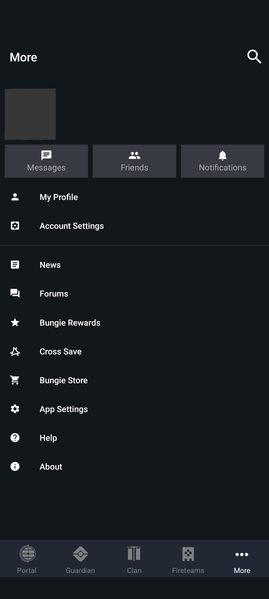 The More Main Tab.
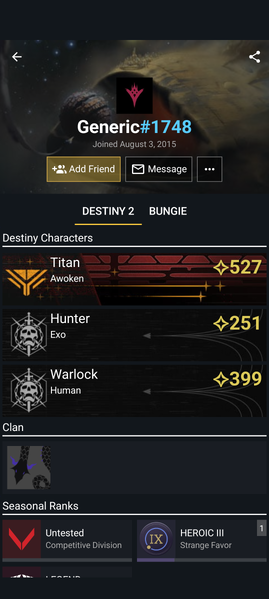 The Profile Tab.
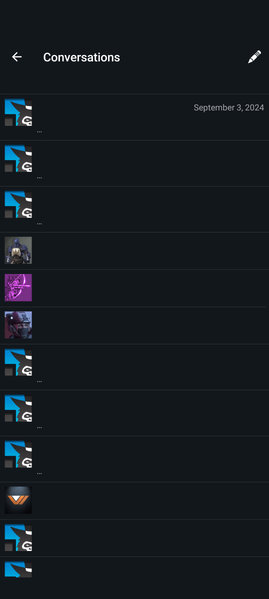 The Messages Tab.
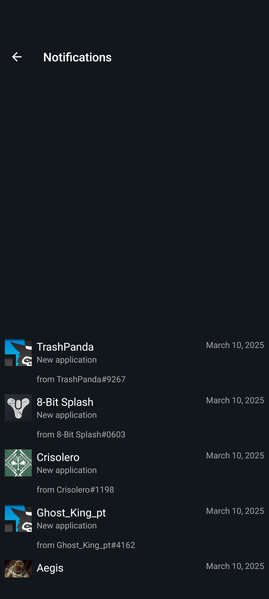 The Notifications Tab.


Trivia[edit]
- Occasionally, there is a bug where the app will not allow you to use Clan Chat. The notification states that "Your account lacks permission to use this feature." This can be fixed by reloading the app.
Gallery[edit]
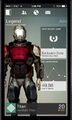 The Destiny Companion App in 2014


